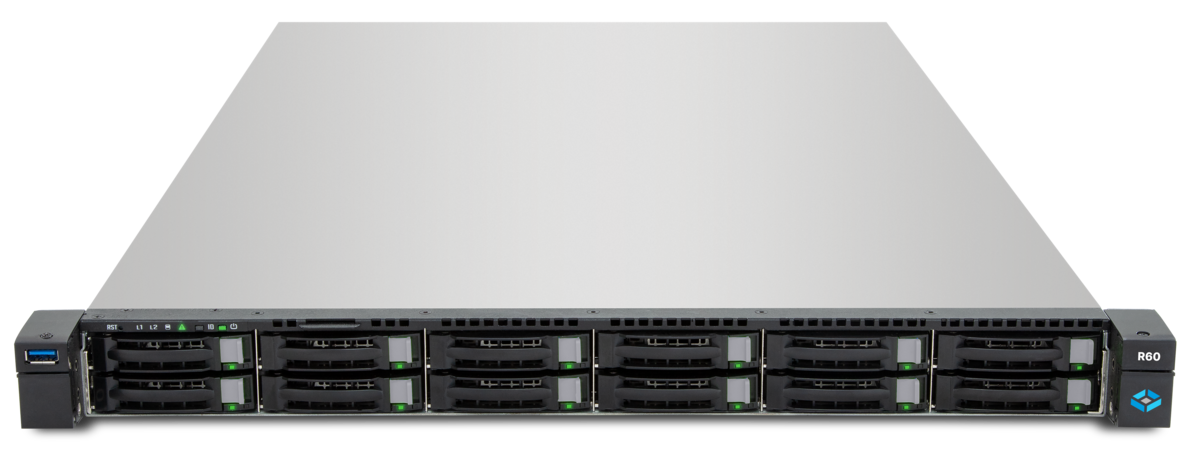
SMB and NFS are the standard protocols for file sharing in business — but they require the client to have the right software installed and be on the right network. External partners, vendors, or employees on personal devices often lack this access. TrueNAS WebShare, available from version 26.04, solves this problem: file sharing directly through the web browser, without client software, without drive mapping, without VPN.
What Is WebShare?
WebShare is an integrated feature in TrueNAS SCALE that makes datasets accessible through a web interface. Users open a URL in their browser and can upload, download, rename, move, and delete files — provided their permissions allow it.
Comparison with Existing Protocols
| Feature | SMB | NFS | WebShare |
|---|---|---|---|
| Client software required | Yes (Windows Explorer, Finder) | Yes (mount.nfs) | No (browser) |
| VPN required (external) | Yes | Yes | No (HTTPS) |
| OS dependency | Low | Linux/macOS | None |
| Maximum throughput | ~1.2 GB/s (SMB3 Multichannel) | ~10 GB/s | ~200-500 MB/s |
| Concurrent users | High | High | Medium |
| File locks | Yes (Opportunistic Locks) | Yes (NLM) | No |
| Ideal for | Internal workstations | Linux servers, VMs | External, temporary access |
WebShare does not replace SMB or NFS — it complements these protocols for scenarios where classical client access is not practical.
Setting Up WebShare
Prerequisites
- TrueNAS SCALE 26.04 or newer
- An existing dataset with data
- TLS certificate (Let’s Encrypt or self-signed)
- DNS record pointing to the TrueNAS IP (for external access)
Step 1: Prepare Dataset
If no dedicated dataset for WebShare exists, create one:
-
Storage → Datasets → Add Dataset
- Name: webshare
- Share Type: Generic
- ACL Type: POSIX (recommended for simple permissions)
-
Create subdirectories for different shares:
/mnt/tank/webshare/partners/mnt/tank/webshare/vendors/mnt/tank/webshare/temp
Step 2: Create Users and Groups
WebShare uses TrueNAS user management. For external partners, dedicated accounts are recommended:
-
Credentials → Groups → Add
- Name: webshare-partners
- GID: 2000
-
Credentials → Users → Add
- Username: partner-mueller
- Password: (secure password, communicated via email or phone)
- Primary Group: webshare-partners
- Home Directory: /nonexistent
- Shell: nologin
- Samba Authentication: Disabled (WebShare uses its own auth)
Step 3: Set Permissions
Dataset permissions determine what WebShare users can see and do:
# Assign directory to WebShare group
chown root:webshare-partners /mnt/tank/webshare/partners

# Read + write for the group
chmod 2770 /mnt/tank/webshare/partners

# New files inherit group ownership (SGID)
# The '2' before 770 sets the SGID bit
For read-only access (e.g., download area):
chmod 2750 /mnt/tank/webshare/downloadsStep 4: Create WebShare Share
-
Navigate to Shares → WebShare
-
Click Add:
- Name: Partner-Exchange
- Path: /mnt/tank/webshare/partners
- Enabled: Checked
- Read Only: Unchecked (for upload access)
- Allow Upload: Enabled
- Max Upload Size: 5 GB (limit per file)
- Authentication: Required
- Allowed Users/Groups: webshare-partners
-
Save and enable the WebShare service
Step 5: Configure TLS
WebShare without TLS is not an option — credentials and files would be transmitted in plaintext.
Let’s Encrypt with ACME:
- Credentials → Certificates → ACME DNS Authenticators: Configure your DNS provider
- Credentials → Certificates → CSRs: Create a certificate request for
files.example.com - Credentials → Certificates → ACME Certificates: Request the certificate
In the WebShare service:
- SSL Certificate: Select the Let’s Encrypt certificate
- HTTPS Port: 443 (or a custom port like 8443)
- Force HTTPS: Enabled
Access for External Partners
URL Structure
After configuration, external partners access the share via:
https://files.example.com/webshare/Partner-Exchange/The web interface displays:
- File list with name, size, modification date
- Upload button (drag & drop or file picker)
- Download links for each file
- Folder navigation
- Search function
Typical Workflow
- Partner receives link and credentials via email (link) and phone (password)
- Partner opens URL in browser — any modern browser works
- Authentication with username/password
- Upload or download files through the web interface
- Session ends after inactivity or logout
Performance Tuning
WebShare is based on HTTP/HTTPS and naturally cannot match SMB or NFS performance. However, there are optimization options for large files:
Chunked Uploads
WebShare supports chunked uploads for large files. The browser splits the file into chunks and transfers them sequentially. Benefits:
- Upload can resume after interruption
- No browser timeout issues with large files
- Progress indicator in the browser
Performance Expectations
| Scenario | Expected Throughput | Limiting Factor |
|---|---|---|
| LAN (1 GbE) | 80-100 MB/s | Network |
| LAN (10 GbE) | 200-400 MB/s | TLS overhead, HTTP |
| WAN (100 Mbit/s) | 10-12 MB/s | WAN bandwidth |
| WAN (1 Gbit/s) | 80-100 MB/s | TLS overhead |
| Many small files | 5-20 MB/s | HTTP overhead per request |
Nginx Reverse Proxy
For better performance and additional security, an Nginx reverse proxy in front of the WebShare service is recommended:
server {
    listen 443 ssl http2;
    server_name files.example.com;

    ssl_certificate /etc/letsencrypt/live/files.example.com/fullchain.pem;
    ssl_certificate_key /etc/letsencrypt/live/files.example.com/privkey.pem;

    client_max_body_size 5G;
    proxy_read_timeout 600;
    proxy_send_timeout 600;

    location / {
        proxy_pass https://truenas-ip:8443;
        proxy_set_header Host $host;
        proxy_set_header X-Real-IP $remote_addr;
        proxy_set_header X-Forwarded-For $proxy_add_x_forwarded_for;
        proxy_set_header X-Forwarded-Proto $scheme;
    }
}
Security
Access Restrictions
- IP whitelisting: Restrict access to known IP ranges of external partners (via OPNsense or TrueNAS firewall)
- Geo-blocking: Allow only access from relevant countries
- Fail2Ban: Configure brute-force protection for the WebShare login page
- Rate limiting: Limit login attempts per IP
Time-Limited Shares
For temporary shares, a structured process is recommended:
- Create account with expiration date
- Provide data in the dedicated directory
- Communicate link and credentials (separate channels)
- After expiration: Disable account, review data, clean up directory
Audit Trail
WebShare logs all access:
- Login attempts (successful and failed)
- File downloads (who, when, which file)
- File uploads (who, when, filename, size)
- Deletions
Logs can be forwarded to a central syslog server or DATAZONE Control.
Use Cases
1. External Partners and Vendors
Vendors need to upload drawings, bills of materials, or manuals. Instead of email with a 25 MB limit or insecure cloud services, they use WebShare:
- Dedicated directory per vendor
- Upload limits restricted to relevant file types
- Automatic notification on new uploads (via webhook)
2. Temporary Project Shares
For a time-limited project, external consultants need access to project documents:
- Project directory with all relevant files
- Read-only for consultants, read-write for internal employees
- Automatic expiration after project end
3. Customer Download Area
Customers need to download finished deliverables:
- Read-only share with customer project folder
- No upload capability (security)
- Individual access per customer
4. Field Service and Remote Work
Employees without VPN access need files on the go:
- Personal share per employee
- Read-write access with sync capability
- Device-independent — works on any device with a browser
Integration with Existing Shares
A dataset can be shared simultaneously via SMB and WebShare. Internal employees use SMB through mapped network drives, while external partners access the same directory via WebShare. Permissions are uniformly controlled through POSIX ACLs.
Points to consider:
- File locks: SMB offers opportunistic locks, WebShare does not. Simultaneous editing of the same file can cause conflicts
- Character encoding: UTF-8 is supported by both protocols
- Symlinks: WebShare does not follow symlinks (security measure)
Conclusion
TrueNAS WebShare fills a gap that SMB and NFS cannot cover: browser-based file access without client software and without VPN. For external partners, temporary shares, and device-independent access, WebShare is the simplest solution. The combination with TLS, dedicated user accounts, and VLAN isolation makes access secure, while integration with existing SMB shares avoids duplicate data storage.
More on these topics:
More articles
Backup Strategy for SMBs: Proxmox PBS + TrueNAS as a Reliable Backup Solution
Backup strategy for SMBs with Proxmox PBS and TrueNAS: implement the 3-2-1 rule, PBS as primary backup target, TrueNAS replication as offsite copy, retention policies, and automated restore tests.
TrueNAS with MCP: AI-Powered NAS Management via Natural Language
Connect TrueNAS with MCP (Model Context Protocol): AI assistants for NAS management, status queries, snapshot creation via chat, security considerations, and future outlook.
ZFS SLOG and Special VDEV: Accelerate Sync Writes and Optimize Metadata
ZFS SLOG (Separate Intent Log) and Special VDEV explained: accelerate sync writes, SLOG sizing, Special VDEV for metadata, hardware selection with Optane, and failure risks.